.svg)
Key Takeaways
- A conditional lien waiver takes effect only after payment clears, making it the safest waiver type to submit before funds are received.
- An unconditional lien waiver takes effect as soon as you sign it—even if you haven’t been paid. Signing one before payment clears could forfeit your lien rights.
- The difference between a conditional and unconditional lien waiver comes down to timing, and signing the wrong one at the wrong moment can be costly.
- Using a conditional progress waiver with each pay application and an unconditional progress waiver only after payment clears is standard best practice for subcontractors.
If you're a commercial subcontractor, you've probably heard the terms "conditional lien waiver" and "unconditional lien waiver" thrown around. They sound technical—maybe even boring—but here's the reality: getting these documents wrong can cost you thousands of dollars and jeopardize your ability to file a mechanic's lien if payment issues arise.
The difference between a conditional and an unconditional lien waiver comes down to timing. Sign the wrong one at the wrong time, and you could waive your right to payment before you've actually been paid. Let's break down what each type means, when to use them, and how to avoid costly mistakes.
What is a conditional lien waiver?
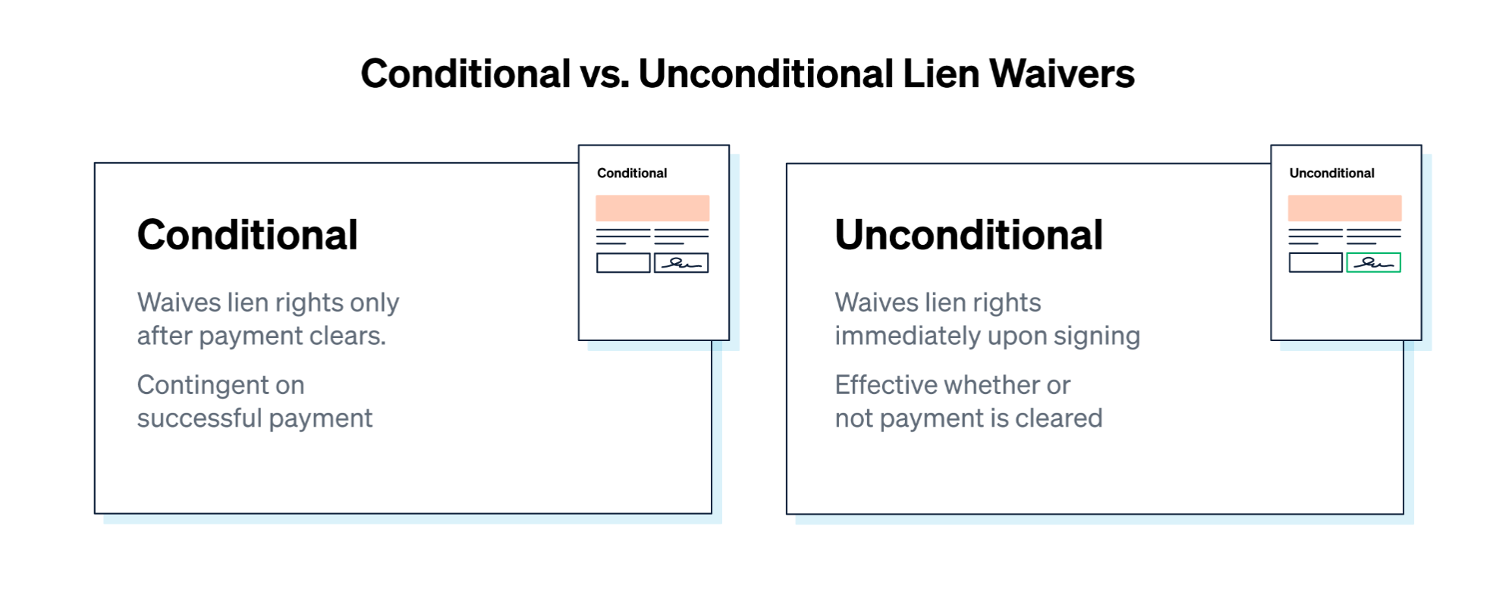
A conditional lien waiver (a.k.a. a “conditional waiver” or “conditional lien release”) is a document that essentially states, "I'll waive my right to file a lien if and when you pay me." The keyword here is "conditional”; the waiver only becomes effective once payment clears your bank account.
Think of it like a promise: "Pay me X amount, and I'll give up my lien rights for that portion of the work."
Conditional Progress vs. Conditional Final Waivers
There are two types of conditional waivers:
- Conditional progress (or partial) waiver: Used during the project for progress payments. It waives your lien rights for work completed through a specific date, but only after you've been paid for that period.
- Conditional final waiver: Used at project closeout. It waives your lien rights for the entire project, including retention, but only after you receive full payment.
When to Use a Conditional Lien Waiver
You should submit a conditional waiver with your payment application, whether it's a progress pay app or your final invoice. This keeps the payment process moving while protecting your rights until the money clears the account.
Use it:
- For each progress payment, when submitting your pay app.
- For your final payment, when submitting your final invoice (including retention).
If you don't submit a conditional waiver when requested, the client could hold up your payment. But the beauty of the conditional waiver is that you're protected: even if you sign it, your lien rights stay in place until the money is in your account.
.png)
Example: How a Conditional Lien Waiver Works
You submit your payment application for November and include a conditional progress waiver for $50,000. This means that you will waive your right to lien the property for that amount on the condition that you receive payment. The GC then reviews your invoice and cuts a check a week later. As soon as those funds hit your account, the waiver becomes effective, and you've officially waived lien rights for that billing period.
Until the check clears? Your lien rights remain intact.
What is an unconditional lien waiver?
An unconditional lien waiver (a.k.a. an “unconditional waiver” or “unconditional lien release”) is a document that essentially states, "I've been paid, and I'm giving up my right to file a lien for that payment amount."
Unlike a conditional waiver, an unconditional waiver goes into effect immediately when you sign it—whether or not you've actually been paid. Thus, timing is critical. Never sign an unconditional waiver until you’ve received the amount specified, including retention in the case of a final unconditional release.
Unconditional Progress vs. Unconditional Final Waivers
Just like conditional waivers, there are two types of unconditional waivers:
- Unconditional progress (or partial) waiver: Confirms you've been paid for work through a specific date and waives your lien rights for that portion of the project.
- Unconditional final waiver: Confirms you've been paid in full (including retention) and waives all lien rights for the entire project.
When to Use an Unconditional Lien Waiver
You should only submit an unconditional waiver after payment has fully cleared your bank account and the funds are actually available—not when you receive the check.
Use it:
- For each progress payment, once that specific payment clears.
- For your final payment, once all funds, including all retention, have cleared.
Never sign an unconditional waiver in advance of payment, no matter how much the client may pressure you. If they insist, provide a conditional waiver instead and explain that you'll submit the unconditional version once payment clears your bank account.
Example: How an Unconditional Lien Waiver Works
You receive a $50,000 check from the GC for your November invoice. Before depositing it, the GC asks you to sign an unconditional progress waiver. You sign it, thinking everything is fine, but then the check bounces. (Same story if the GC sends an electronic transfer and you sign before the funds actually clear; a reversed ACH or a wire recall puts you in the same position.)
Because you signed an unconditional waiver, you've already waived your lien rights for that $50,000, even though you never got paid. Now you're stuck chasing down payment without one of your most powerful tools: the ability to file a mechanic's lien.
How should you handle conditional and unconditional lien waivers?
Getting lien waivers wrong can cost you time and money. Common errors—like signing an unconditional waiver before payment clears or submitting the wrong form—happen more often than you’d think. The good news? With the right systems and processes, you can avoid these pitfalls and keep payments on track. Here’s how:
1. Know your state's lien waiver requirements.
Twelve states—Arizona, California, Florida, Georgia, Massachusetts, Michigan, Mississippi, Missouri, Nevada, Texas, Utah, and Wyoming—have statutory lien waiver forms that subcontractors most use. Of those 12 states, Mississippi and Wyoming are the only ones that require notarization. Check Siteline's state-by-state directory before sending waivers.
2. Review your contract carefully.
Every owner and GC can have different lien waiver requirements. Some want lower-tier waivers; others don't. Some provide their own forms; others expect you to supply your own. Review your contract and denote what's expected upfront to avoid delays.
3. Create standard templates.
If you're working in a state without statutory forms, and the client didn’t supply waiver forms, then build a simple template for each waiver type. Siteline offers free lien waiver templates you can download and customize, saving you time and helping reduce errors.
4. Make waivers part of your billing process.
Submit conditional waivers with every payment application. Once payment clears, send the unconditional version immediately. Building this into your workflow, alongside a consistent payment reminder cadence, ensures nothing slips through the cracks.
5. Track waivers and payments in the same place.
Keeping this information together makes it easier to know when to send which waiver. When you mark a payment as received, you'll automatically know to send an unconditional waiver.
6. Collect lower-tier waivers proactively.
If you're required to submit waivers from your vendors and sub-tier contractors, make it a requirement in your subcontracts. Have them submit waivers with their invoices so you're not scrambling at the last minute.
Is there an easier way to manage lien waivers?
Yes. Siteline is A/R management software built specifically for commercial subcontractors. Its Lien Waiver Management feature automates your entire waiver workflow, so you can:
- Automatically generate the right waiver at the right time: Based on your project data and payment status, Siteline knows whether you need a conditional or unconditional waiver and whether it should be a progress or final waiver.
- Collect lower-tier waivers effortlessly: Send waiver requests to your vendors and sub-tier contractors, track who's opened and signed them, and compile everything into a single package for the client to submit with a click.
- Get reminders and stay organized: Never miss a waiver deadline again. Siteline tracks the status of all your waivers in real time and sends reminders when action is needed.
- Save hours every month, and get paid faster: Contractors using Siteline report saving between 12 and 23 hours per month on lien waiver management alone.
Siteline's Lien Rights Management feature also tracks state-specific lien deadlines and milestones alongside your waivers, so you can see at a glance whether your rights are protected, at risk, or missing key information.
With your lien waivers on autopilot, you can focus on keeping projects running smoothly and payments on time. Schedule a demo to see how.
Frequently Asked Questions
Which lien waiver should I submit with my pay application?
Submit a conditional waiver (progress or final) with every pay application. It keeps your lien rights intact until the payment actually clears, so you're protected even if the check bounces or a payment gets reversed.
Is it ever okay to sign an unconditional waiver before I'm paid?
Generally, you should not sign an unconditional waiver before receiving payment. Doing so could waive your lien rights even if the payment never arrives. If a GC pressures you to sign one early, offer a conditional waiver instead and explain you'll follow up with the unconditional version once payment clears.
Do lien waiver rules change by state?
Yes. Twelve states require specific statutory lien waiver forms, while several others impose additional rules around language, timing, or notarization. Before sending or signing a waiver—especially if you work across state lines—check Siteline’s lien waiver state directory for requirements across all 50 states and Washington, D.C.
Do lien waivers need to be notarized?
Almost never. Of the states with statutory forms, only Mississippi and Wyoming require notarization. Texas dropped its notarization requirement in 2022, and most other states never had one to begin with.
What happens if I sign an unconditional waiver and the payment falls through?
You've already waived your lien rights for that amount, so you lose one of your strongest tools for collecting: the ability to file a mechanic's lien. At that point, you're pursuing payment through other means, like a breach of contract claim.
AIA®, G702®, and G703® are registered trademarks owned by The American Institute of Architects and ACD Operations, LLC. Siteline is not affiliated with The American Institute of Architects or ACD Operations, LLC. Users who wish to use Siteline’s software to assist in filling out AIA® forms must have or secure the AIA® forms. Siteline does not and will not provide users with the forms.


%202.webp)